
Have the entire OleyBet platform in the palm of your hand. Slots, live casino, bingo, deposit via Pix and withdrawal in BRL — all in one lightweight, fast app built for the Brazilian player.
What you'll find in the app
The OleyBet app is available for Android and iOS. Install in minutes and start playing.
The OleyBet app for Android is installed directly via APK file — simple, secure and without needing the Play Store. Compatible with the vast majority of Android smartphones in Brazil.
On iPhone, OleyBet works as an installable Progressive Web App directly through Safari. The experience is identical to a native app — full screen, no browser bar, with an icon on your home screen.
Step-by-step guide to get the OleyBet app running on your Android phone in under 3 minutes.
Open Chrome, Firefox or your Android's native browser and go to oleybet.vu. The download page will be displayed automatically.
The APK file download starts immediately. A browser warning about downloading an external file may appear — tap "OK" or "Download anyway" to continue.
Android may ask you to authorize the installation of APKs outside the Play Store. Go to your phone Settings, look for "Install unknown apps" and enable it for the browser you are using. This setting is safe and only needs to be done once.
Locate the downloaded file (usually in the Downloads folder) and tap to install. The process takes a few seconds. The OleyBet icon appears automatically on your home screen.
Open the app, sign in with your credentials or create a free account. Make a deposit via Pix and start playing instantly.

On iPhone, OleyBet works as a PWA — installed via Safari in three steps, with no App Store required.
The PWA installation process works exclusively through Safari on iOS. Do not use Chrome or another browser for this step — only Safari allows adding to the home screen on iPhone.
Type the address in the Safari bar and wait for the page to load completely. Make sure your internet connection is stable.
In the bottom bar of Safari, tap the share icon — the one with an arrow pointing upward. A menu of options will appear on the screen.
Scroll the menu until you find the "Add to Home Screen" option and tap it. You can customize the shortcut name — keep it as OleyBet and confirm.
The OleyBet icon appears on your home screen like any other app. Tap it to open in full screen, with no address bar, and enjoy the complete platform experience.
The app was designed with the Brazilian player in mind, prioritizing convenience, speed and security on mobile.
The OleyBet app loads games considerably faster than the browser version. Fewer steps between you and your next spin.
Receive mobile alerts about exclusive bonuses, new game launches and special promotions from OleyBet before any other channel.
The app keeps your session more stable than the browser. Fewer disconnections, with no lost rounds due to session drops.
No address bar, no tabs, no system notifications breaking the experience. Games take up the entire phone screen.
Access your OleyBet account with fingerprint or facial recognition on Android and iPhone. No need to type your password every time.
No need to download the APK again. The OleyBet app updates in the background, always with the latest games available.
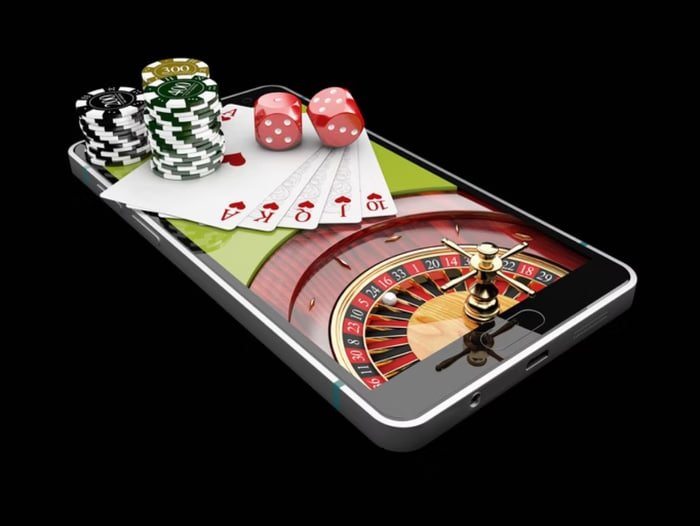
Most Brazilian players today access digital entertainment platforms on mobile — and OleyBet was built with exactly that behavior in mind. The app is not a simplified or limited version of the site. It is the full platform, with all sections available: slots, Live Casino, bingo, deposits, withdrawals and account management, all running smoothly on screens of any size.
The difference between playing in the browser and playing in the app is noticeable from the very first access. Games load faster, the touch interface responds more precisely and graphics are sharper because the app renders content without the extra layer of a browser. For frequent players, this makes a real difference in day-to-day use.
Technically, both work. OleyBet ensures a good experience both through the app and through the mobile browser. But there are practical differences that may make the app the preferred choice for most players. The main one is session stability: the app does not lose the connection when you leave the screen, switch apps or receive a call, while the browser may require a page reload in some of those situations.
Another highlight is the visual experience. In the app — whether the APK on Android or the PWA on iPhone — games open in full screen with no visible interface bar. For slots with detailed graphics and live casino with real dealers, this difference is quite noticeable, especially on phones with larger screens.
| Feature | OleyBet App | Mobile Browser |
|---|---|---|
| Loading speed | ⚡ Fast | Moderate |
| Session stability | ✔ High | Variable |
| Full screen in games | ✔ Yes | Partial |
| Biometric login | ✔ Yes | Depends on the device |
| Push notifications | ✔ Yes | No |
| Automatic update | ✔ Yes | Automatic (cache) |
| Installation required | APK / PWA | ✔ None |
One of the biggest advantages of the OleyBet app for the Brazilian player is the native Pix integration. The deposit process is straightforward: you access the Deposit, choose the amount, copy the Pix code or scan the QR Code with your bank's app and the balance appears instantly in your OleyBet account. No intermediaries, no waiting, no hidden fees.
Withdrawals work the same way. Go to the Withdrawal section in the app, enter the amount and your Pix key — which must be linked to the same CPF used at registration — and processing is done quickly. The money goes directly to your bank account in BRL, with no currency conversion.
The app gives you full access to everything the platform offers. In the Slots, there are hundreds of titles divided by category — classic three-reel slots, Megaways, Hold & Win, progressive jackpots and much more. The filters work well on touch screens, making it easy to find a specific game or explore new releases without having to scroll too much.
No Live Casino, you'll find tables with real dealers streamed in HD video. In the app, the stream loads faster and image quality is consistently better than in the browser. Roulette, blackjack, baccarat and other live games become fully immersive in full screen on mobile.
The Bingo is also available in the app with live matches and rooms separated by betting range. The bingo interface was designed for touch — large cards, visible draw and chat with other players, all responsive.
All communication between the app and OleyBet's servers is encrypted with 256-bit SSL — the same standard used by major digital banks. Your personal information, payment data and betting history are transmitted securely and are never exposed on open networks.
On Android, the OleyBet APK goes through a security check before each release. The request to authorize "external sources" during installation is standard Android behavior for any app installed outside the Play Store — it does not indicate risk and can be disabled again after installation if you prefer.
On iPhone, the PWA model via Safari is inherently secure because it runs within Apple's controlled environment, requiring no special permissions or access to sensitive device features.
OleyBet offers responsible gaming tools directly in the app. You can set daily, weekly or monthly deposit limits, configure session time alerts and, if needed, request a temporary break or self-exclusion. These tools are accessible in the account settings at any time.
The app also displays the total session time in live games, helping players stay in control without having to check the clock. To learn more about the responsible gaming tools available at OleyBet, visit the Responsible Gaming.

We answer the most common questions from players who want to download and install the OleyBet app on their phone.
Install the OleyBet app on your phone, create your free account, deposit via Pix and get access to hundreds of slots, live casino and bingo — all in BRL, directly from your Android or iPhone.
Play responsibly. Intended for players aged 18 and over.